
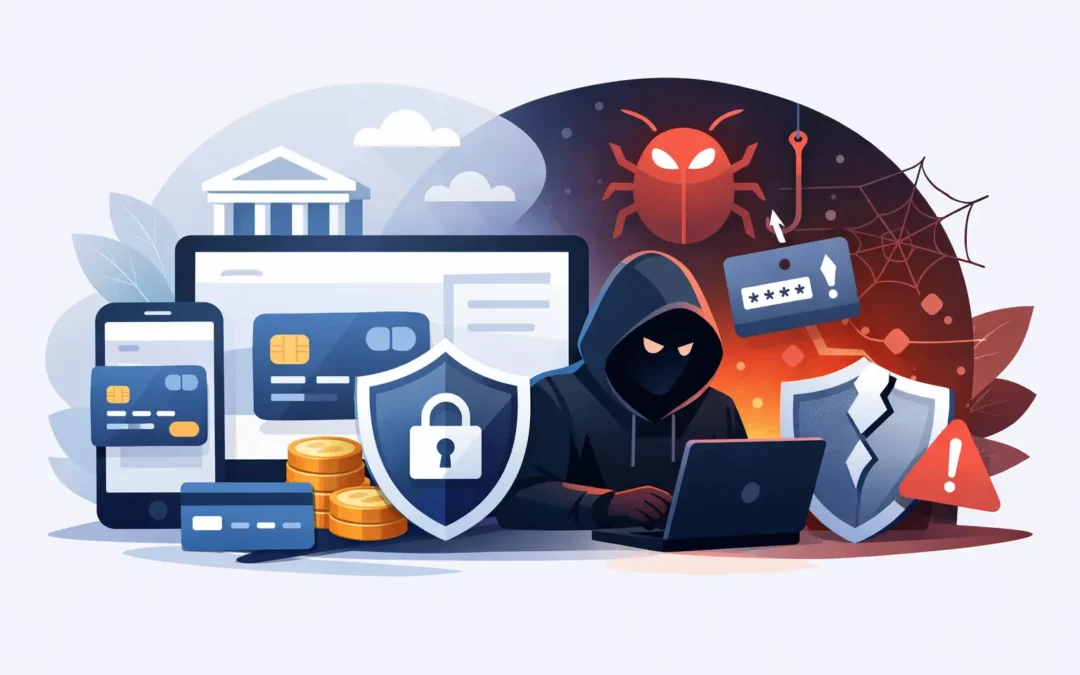
A single fake delivery text, an urgent-looking Microsoft pop-up or a downloaded invoice can be enough to put sensitive financial information at risk. So, can malware steal bank details? Yes. Certain types of malware are designed specifically to capture card numbers, online banking logins, passwords and security codes. The good news is that quick action can limit the damage significantly.
For London households and businesses, the risk is not limited to an old or obviously broken computer. A well-presented scam can affect a Windows laptop, MacBook, office desktop or even a mobile phone connected to the same account. Knowing what malware can do, and what to do next, is far more useful than waiting for a dramatic warning screen.
Can malware steal bank details from your device?
Malware is a broad term for harmful software that gets onto a device without your informed permission. It may arrive through a convincing phishing email, a bogus software update, an unsafe download, a compromised website or an attachment that looks like a genuine document.
Not every infection is built to steal money. Some malware displays adverts, slows a device down or locks files for ransom. But banking malware has a more targeted job: collecting information that lets criminals access your accounts or make payments in your name.
A keylogger is one example. It records what you type, potentially including usernames, passwords and card details. Spyware can monitor browsing activity or take screenshots. Some malicious browser extensions watch for information entered into banking and shopping sites. More advanced banking trojans may create convincing overlays that imitate a bank login page, then send the details you enter to the attacker.
Malware can also steal browser-stored passwords, cookies and saved payment information. Cookies deserve particular attention because they can sometimes keep a user signed in to a service. Changing a password is still essential, but it may not immediately remove every risk if an attacker has already taken an active session.
The signs are not always obvious
Many people expect malware to make a computer unusable. In reality, financial malware often tries to stay quiet. A device may continue to work normally while the infection collects information in the background.
Be cautious if your computer suddenly becomes slow, the browser redirects you to unfamiliar pages, new toolbars appear or security software is disabled. Repeated password reset emails, notifications of logins you did not make, unexplained bank alerts and payments you do not recognise are more urgent signs.
For businesses, unusual Microsoft 365 sign-in activity, unexpected email forwarding rules or invoices sent from a colleague’s account can indicate that an attacker has access to more than one system. That does not always mean the computer itself has malware. It could be an email-account compromise. Either way, it needs prompt investigation.
One warning sign on its own is not proof. A slow laptop could have a failing drive, too little storage or an overloaded startup list. But if strange behaviour appears alongside a suspicious download, pop-up or account alert, treat it as a possible security incident rather than hoping it will disappear.
What to do if you think your bank details are exposed
Speed matters, but avoid rushing through random fixes. Start by disconnecting the affected computer from Wi-Fi or unplugging its network cable. This can stop malware communicating with an attacker and helps protect other devices on the same home or office network.
Then contact your bank using the number on the back of your card, the official banking app or a number you independently know is genuine. Do not use a phone number displayed in a pop-up, email or text message. Explain that you believe your device may be infected and that online banking details could have been exposed. The bank can review transactions, secure the account and advise whether cards or credentials need replacing.
If you can do so safely from a different, trusted device, change your online banking password first. Next, change the password for the email account associated with the bank, because email access can be used to reset other passwords. Use unique, strong passwords rather than small variations of an old one, and turn on two-factor authentication wherever it is offered.
Check recent transactions carefully. Look beyond the obvious large payment: criminals may make a small test transaction before attempting something larger. Report any unfamiliar activity to your bank immediately. Businesses should also check payee details, recent supplier payment changes and user access to finance systems.
Do not log back into banking, email or payment accounts from the suspected device until it has been properly checked. Repeatedly entering new passwords into an infected laptop may simply hand those new credentials to the attacker.
Removing malware safely
A reputable security scan may identify and remove straightforward infections, especially if the device has current operating-system and antivirus updates. However, a scan result is not always the whole story. Some threats hide well, alter browser settings, add remote-access tools or leave behind compromised accounts even after the original file has gone.
If bank details, work emails or customer information may be involved, professional malware removal is often the sensible option. An engineer can assess the device, remove unwanted software, check startup items and browsers, apply security updates, and advise whether a clean reinstall is safer. A clean reinstall takes more time because files and programs need to be backed up and restored carefully, but it may be the right choice after a serious infection.
This is especially relevant for small businesses. One infected office PC can expose shared folders, saved passwords, cloud accounts or payment records. The priority is not only getting the computer switched back on. It is making sure the wider network and accounts are safe before normal work resumes.
A2z Computer Solutions provides same-day virus removal and IT support across London for home users and businesses that need a device checked without unnecessary delay.
How to reduce the chance of it happening again
Good security is mostly about consistent habits, not complicated technical knowledge. Keep Windows, macOS, browsers and commonly used software updated. Updates often fix security weaknesses that criminals already know how to exploit.
Install software only from official sources and be wary of free versions of paid programs, game cheats, unknown browser extensions and unsolicited remote-support offers. A caller who says your computer is infected and asks you to install remote access is not providing legitimate support just because they sound convincing.
Email remains one of the most common entry points. Before opening an attachment or signing in through a message, pause and inspect the sender address, spelling and request. A real-looking logo is easy to copy. A message that creates panic – threatening account closure, a missed parcel or an overdue payment – is designed to make you act before checking.
Use a password manager if possible, so each account has a unique password. Two-factor authentication adds another layer of protection, although it is not a reason to ignore suspicious prompts. Never approve a login request you did not initiate, even if it appears to come from a familiar service.
Backups matter too. Keep important files in a separate, protected backup rather than relying on a single laptop or shared drive. This will not stop bank-detail theft, but it can make recovery far less disruptive if malware also encrypts or deletes data.
When a pop-up says your computer is infected
A sudden full-screen warning with a loud alarm and a phone number is usually a scam, not a genuine security message. Do not call the number, allow remote access or enter card details to buy an urgent fix. Close the browser if possible. If it will not close, use the task manager or restart the computer, then arrange a proper check.
The same rule applies to pop-ups asking you to install an update immediately. Genuine updates normally come through the operating system, app store or software itself, not through an alarming web page that demands instant action.
A malware incident feels personal because it can involve money, work and private information. Stay calm, isolate the device, speak to your bank through a trusted route, and get the computer checked before using it for anything sensitive again. Acting early is often the difference between a worrying alert and a much bigger problem.