
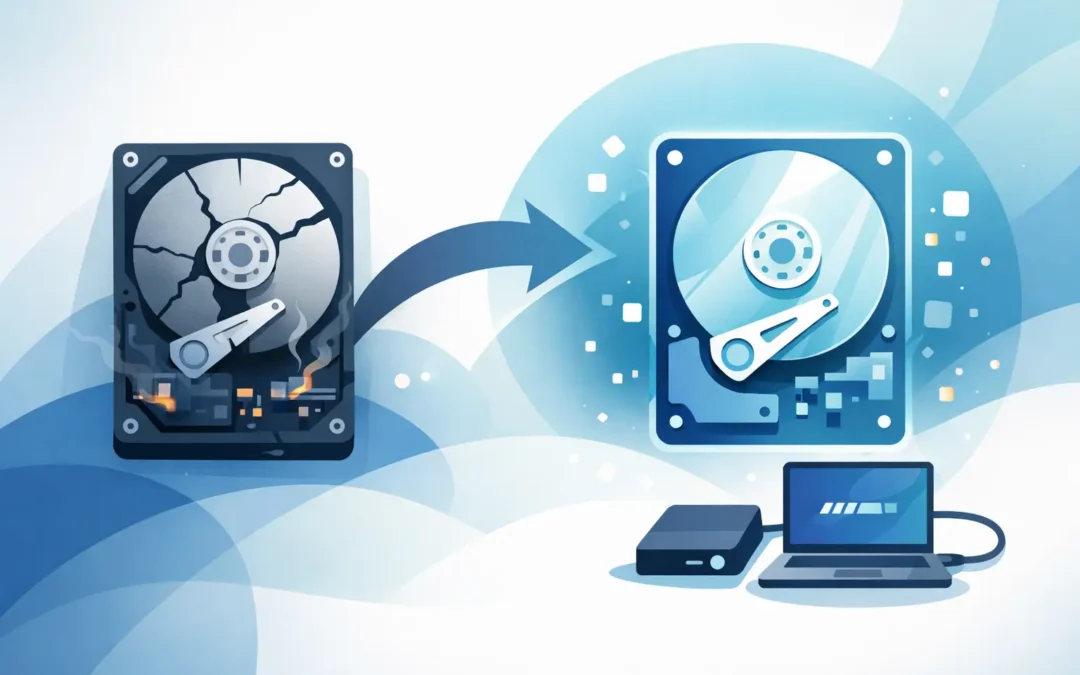
One minute your laptop is working normally, and the next it will not boot, clicks loudly, or refuses to show your files. When that happens, the first question most people ask is simple – can a dead hard drive be recovered? In many cases, yes, but the real answer depends on what has actually failed and what happened after the problem started.
That distinction matters. Some drives look dead but still have recoverable data. Others have serious physical damage, and every extra attempt to switch them on can make the situation worse. If the files matter, whether they are family photos, business documents or university work, the safest step is to stop using the device and get the fault assessed properly.
Can a dead hard drive be recovered if it will not start?
Sometimes a hard drive is called dead when the computer simply will not load Windows or macOS. That does not always mean the drive itself has completely failed. The issue could be file system corruption, a damaged partition, a faulty operating system update, or even a motherboard or power fault elsewhere in the machine.
In those cases, recovery can be relatively straightforward. An engineer may be able to remove the drive, connect it safely to specialist equipment, and copy the data off before carrying out any repair or replacement work. From the customer side, it feels like a dead drive. From the technical side, the data may still be sitting there intact.
Where it gets more serious is when the drive is not recognised at all, makes repetitive clicking noises, spins up and down, or has been dropped. Traditional hard drives have moving parts, and once those parts are damaged, recovery becomes much more delicate. It can still be possible, but it moves from standard recovery work into specialist physical recovery.
What makes a hard drive seem dead?
There are a few common failure points, and each one changes the odds.
Logical failure
This is the best-case scenario. The data is still on the drive, but the file structure is damaged. You may see missing folders, error messages, or a machine stuck in a boot loop. Recovery chances are often good if the drive hardware is still healthy.
Electronic failure
A damaged circuit board, power surge, or charging issue can stop the drive from responding. The drive may appear completely lifeless, but the data inside may still be recoverable with the right tools and donor parts.
Mechanical failure
This is where you hear clicking, grinding, beeping, or repeated spin attempts. Mechanical failure is more serious because the read/write heads or internal platters may be involved. Recovery is sometimes possible, but it requires care, experience, and the right environment.
Media damage
If the platter surface itself is scratched or degraded, data recovery becomes much harder. Some files may be recoverable, some may be corrupted, and in the worst cases only a partial recovery is possible.
That is why there is no honest one-size-fits-all answer. Yes, a dead hard drive can often be recovered, but success depends on the type of failure, how severe it is, and whether the drive has been left alone or repeatedly forced to start.
Signs you should stop using it straight away
If a drive is failing, good intentions can do real damage. We regularly see people try the same restart ten or twenty times, install recovery software, swap cables, or leave the machine running overnight in the hope it sorts itself out. That can reduce the chance of getting the data back.
You should stop immediately if the drive is making unusual sounds, disappearing from the system, causing the computer to freeze when accessed, or has suffered liquid damage, impact damage, or a power surge. If the information is important, avoid DIY fixes that involve opening the drive or running software scans on a physically unstable device.
A common mistake is confusing urgency with action. The urgent step is protecting the drive from further damage, not experimenting with it.
Can you recover data yourself?
Sometimes, but only in limited situations.
If the drive is detected properly, stays stable, and the problem appears to be deleted files or minor corruption, software recovery may help. That tends to apply more to accidental deletion or formatting than to a truly dead drive. Even then, you need to be careful not to save recovered files back onto the same disk or keep using the machine as normal.
If the drive is clicking, not showing up, overheating, or causing the machine to hang, DIY recovery is usually a bad idea. Consumer software cannot fix a failed head assembly or repair internal mechanical damage. It may simply stress the drive further.
There is also the issue of value. If the lost data is your company accounts, legal records, client work, or irreplaceable photos, the cost of a failed DIY attempt can be far higher than the cost of proper help.
How professional hard drive recovery works
A proper assessment starts with identifying whether the fault is logical, electrical or mechanical. That matters because the recovery method should fit the fault, not the other way round.
With logical issues, the process may involve creating a safe sector-by-sector clone and rebuilding damaged file structures from that copy. With electronic faults, component-level work may be needed before the drive can be accessed safely. With mechanical faults, recovery is more specialised and may require controlled handling, donor matching, and imaging techniques designed to capture data while putting as little strain on the failing drive as possible.
For customers, the important point is simple. A good recovery service does not start by taking risks with your original data. It starts by stabilising the situation and working in the safest order possible.
That is especially important for businesses. A drive failure on an office PC, server backup drive, or staff laptop can mean lost time, missed deadlines and serious disruption. Fast diagnosis and clear advice matter just as much as the technical recovery itself.
SSDs and external drives are different
Many people still ask about hard drives when they actually mean an SSD or an external USB drive. The answer changes slightly depending on the device.
A failed external drive may have a problem with the USB enclosure, cable, or power supply rather than the disk mechanism itself. In some cases the data is easy to access once the drive is removed and tested properly. In other cases the internal drive has failed just like any other desktop or laptop disk.
SSDs do not have moving parts, so they do not usually click like older hard drives. But they can still fail without warning due to controller issues, firmware faults, power damage or memory cell failure. Recovery from SSDs can be possible, but it is often less predictable. Once an SSD becomes inaccessible, it can deteriorate quickly, so delaying help is risky.
What affects the chance of success?
Recovery chances are usually better when the drive is switched off quickly, has not been tampered with, and the fault is identified early. They are lower when the drive has been dropped, opened, exposed to water, or repeatedly powered on after signs of failure.
Encryption can also complicate matters. If a BitLocker or FileVault protected drive is recovered physically but the recovery key is missing, access to the data may still be blocked. Likewise, if the files were already corrupted before the drive failed, the recovered result may not be perfect.
That said, people often assume the worst too early. A machine that says no boot device, shows a black screen, or refuses to load can still produce a successful recovery. The only reliable way to know is to have the device tested properly.
When to get help
If the files matter and the drive is showing any sign of physical failure, get help sooner rather than later. The same applies if you are running a business and downtime is costing money, or if you need a same-day response to assess the issue quickly and avoid further loss. A service-led company such as A2z Computer Solutions can help identify whether you are dealing with a failed drive, a wider laptop or desktop fault, or a recoverable software problem.
The key is not to wait for the drive to come back to life on its own. Hard drives rarely heal themselves, and every delay can narrow your options.
If you are asking can a dead hard drive be recovered, the practical answer is this: often yes, sometimes partly, and occasionally no. What makes the difference is acting quickly, avoiding guesswork, and letting the fault be assessed before more damage is done. When the data matters, the smartest move is usually the calmest one.