
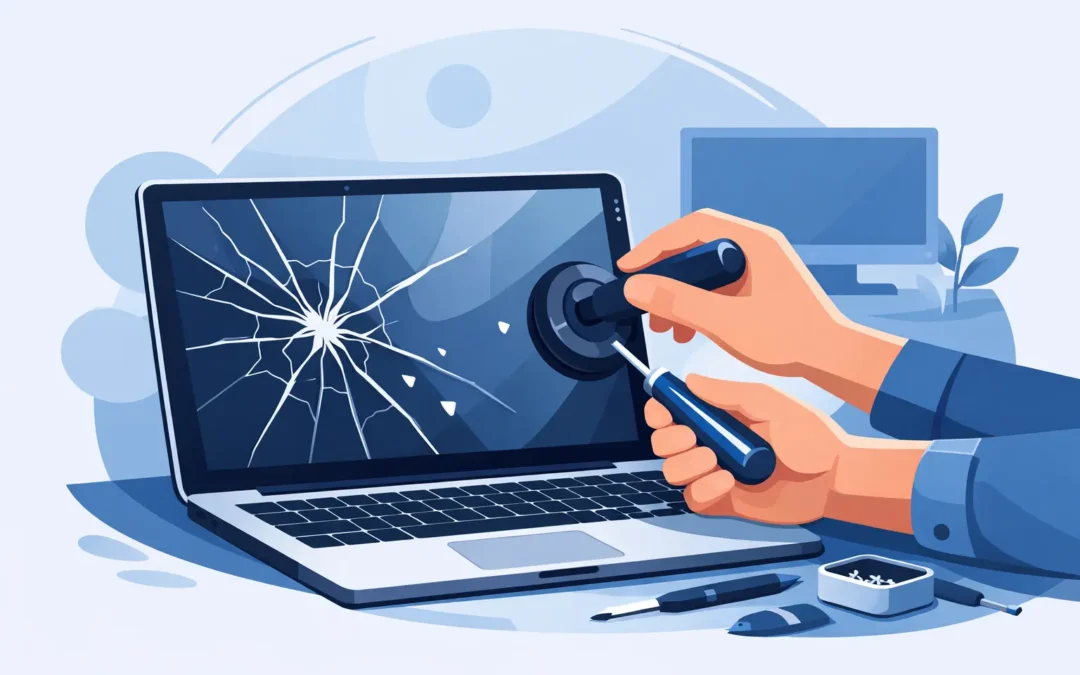
One drop from the sofa, one bag zipped too quickly, or one bit of pressure in the wrong place – and suddenly you are searching for how to fix cracked laptop screen damage before work, study or a client meeting starts. The first thing to know is this: a cracked screen rarely improves on its own, and using the laptop as normal can make the damage worse.
If the display still turns on, you may see spiderweb cracks, black ink-like patches, flickering lines or dead areas where nothing responds properly. In some cases, the laptop still works fine through an external monitor, which tells you the problem is limited to the screen assembly rather than the whole machine. That is good news, but it does not always mean it is a simple home fix.
How to fix cracked laptop screen without making it worse
Before you touch anything, power the laptop down fully. If the glass or panel is damaged, continued pressure on the lid can spread the crack and damage the display underneath even further. Unplug the charger, disconnect any accessories and avoid pressing on the screen to test whether it still works.
It is tempting to keep using a cracked laptop for a few days, especially if you can still see enough to log in. That can be risky. A damaged display can deteriorate quickly, and if the hinge area has also taken a knock, opening and closing the lid may strain internal cables or the casing.
If you need urgent access to files, connect the laptop to an external monitor or TV with HDMI, DisplayPort or USB-C if your model supports it. That gives you a safer way to back up documents, move work across, or keep the machine usable while you decide on repair.
Can you repair a cracked laptop screen yourself?
The honest answer is: sometimes, but it depends on the laptop, the type of crack and your confidence with delicate hardware.
A genuine crack in the LCD or LED panel cannot be polished out or fixed with a screen protector. Unlike a phone screen, a laptop display is not something you can patch up cosmetically and carry on. If the panel itself is cracked, the real fix is replacement.
DIY repair is possible on some older or more accessible models. If the bezel clips off cleanly, the battery can be disconnected easily and the replacement panel is straightforward to source, a careful person with the right tools may manage it. On the other hand, many modern laptops are slimmer, more fragile and more tightly assembled. Some screens are glued in, some have hidden screws, and some MacBook and premium Windows models are far less forgiving if you make a mistake.
That is where cost and risk need a realistic look. Saving money on labour sounds sensible until a home repair damages the webcam cable, bezel, hinges or motherboard connector. A screen replacement that should have been simple can turn into a more expensive repair.
Signs the damage is more than just the screen
A cracked panel is common, but impact damage does not always stop there. If the laptop casing is bent, the hinge feels stiff, the lid no longer closes properly or the screen cuts in and out when moved, there may be structural damage as well.
Watch for horizontal or vertical lines that change as you tilt the screen, which can point to a cable issue. If there is no display at all but the laptop powers on, the fault could still be the screen, but it may also involve the backlight, display cable or graphics hardware. If the machine took a heavy hit, a proper diagnosis matters before any parts are ordered.
This is especially relevant for business users and students who cannot afford repeat downtime. Replacing a panel without checking the rest of the assembly can solve only half the problem.
How to fix cracked laptop screen at home
If you are confident and the model is repair-friendly, the process usually involves confirming the exact screen type, removing the bezel, disconnecting power, unplugging the damaged panel and fitting a matching replacement. Then the new screen is tested before the laptop is fully reassembled.
That sounds simple on paper. In practice, the difficult parts are usually identifying the correct panel, opening the device without cracking the bezel, and handling the ribbon connector safely. Many laptop screens look similar but are not interchangeable. Size alone is not enough. Resolution, connector position, mounting tabs and refresh rate all matter.
You will also need the right tools, a clean workspace and patience. Small slips can damage clips, scratch the lid or pull a cable loose. If your laptop has a swollen battery, signs of liquid damage or a metal shell bent from impact, stop there. Those are not good candidates for a quick home repair.
For many people, the sensible middle ground is this: use an external monitor to keep working, back up your files, then arrange a proper repair rather than rushing into a delicate job late at night with a screwdriver set from the kitchen drawer.
When professional screen replacement is the better option
A professional repair is usually the best route when the laptop is new, high-value, business-critical or physically awkward to open. It is also the safer option if you are dealing with a MacBook, a touchscreen model, a 2-in-1 laptop or a device with very slim bezels.
What you are paying for is not just fitting a new screen. You are paying for correct diagnosis, part matching, careful disassembly and proper testing afterwards. A reliable repair service will also spot related issues such as hinge damage, internal frame distortion or loose display connectors.
That matters when time is tight. If your laptop is central to work, school or running a small business, the cheapest route is not always the fastest or most dependable one. A same day repair service can often save far more in lost time than it costs in labour.
For London customers, that convenience matters. If you need a quick, trusted fix without spending days comparing parts and watching repair videos, a local service such as A2z Computer Solutions can take the pressure off and get the machine back into use with far less hassle.
How much does it cost to fix a cracked laptop screen?
There is no single flat price because laptop screens vary widely. A standard non-touch Windows laptop screen is usually more affordable to replace than a high-resolution touchscreen, OLED panel or MacBook display. Labour can also vary depending on how easy the device is to dismantle.
As a rough guide, entry-level laptop screens are often cheaper than premium ultrabook or Apple parts. If the frame, hinges or top lid casing are also damaged, the price will rise because more than the panel may need replacing.
This is why a proper quote should be based on the exact model number and visible condition, not guesswork. If someone offers a very low price before seeing the device details, be cautious. The wrong part or a rushed fitting can create fresh problems.
Is it worth fixing a cracked laptop screen?
Usually yes, but not always. If the laptop is otherwise healthy, replacing the screen is often far cheaper than buying a new machine. That is particularly true if you have software installed, business files set up, or a device that still performs well apart from the display.
It becomes less worthwhile if the laptop is already very old, slow, damaged in several places or close to the cost of replacement once parts and labour are added up. In those cases, a technician should be honest with you. Sometimes the better move is to recover your data and put the repair money towards a replacement device.
That said, many cracked-screen laptops are perfectly worth saving. A clean screen replacement can give the machine a second life, especially when the keyboard, battery and motherboard are all in good order.
What to do right now
If your screen has cracked today, keep it simple. Stop using the damaged display, connect to an external screen if you need urgent access, back up your files and avoid pressing on the lid. Then decide quickly whether this is a realistic DIY job or one better handled by an engineer.
The main thing is not to let a straightforward screen issue turn into a bigger repair through delay, pressure damage or a rushed attempt with the wrong part. A cracked laptop screen is common, fixable and usually not the end of the machine. The best result comes from acting early and choosing the repair route that gives you the least risk and the quickest path back to normal.