
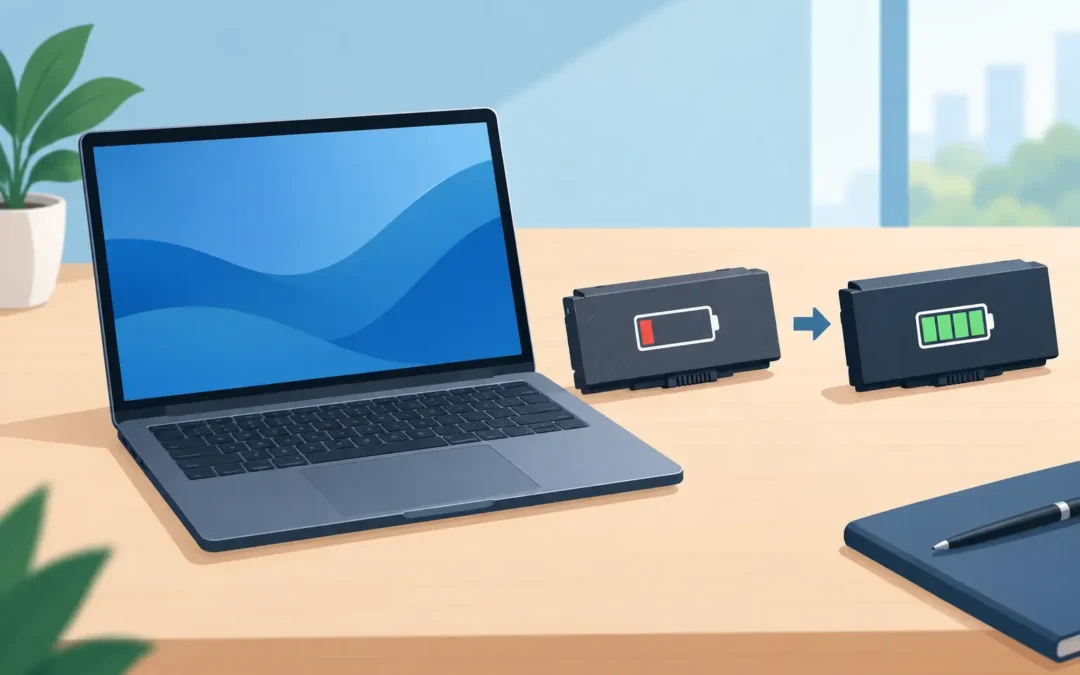
A laptop that drops from 40% to zero during a meeting is more than an annoyance. It can interrupt work, put files at risk and leave you tied to the nearest plug socket. Knowing when to replace a laptop battery helps you avoid that disruption and can give an otherwise reliable machine several more useful years.
Battery faults are common across Windows laptops, MacBooks and older business devices. The right answer is not always to order the first cheap battery you find online, though. Battery condition, charging faults, device age and the cost of repair all matter.
Signs it is time to replace a laptop battery
The clearest sign is reduced running time. If your laptop once lasted most of the day but now needs charging after an hour or two, the battery cells have probably lost much of their original capacity. All rechargeable lithium-ion batteries wear down over time, even if the laptop has been carefully looked after.
Unexpected shutdowns are another warning. A laptop may show 25% battery remaining, then switch off without warning because the battery can no longer deliver stable power. Slow charging, a battery that stops at a certain percentage, or a message such as “service recommended” on a MacBook should also be investigated.
Physical changes need more urgent attention. If the underside of the laptop is lifting, the trackpad has become difficult to click, the case is separating, or the machine rocks on a desk, stop using it and do not continue charging it. These can be signs of a swollen battery. A swollen lithium battery is not a DIY repair or something to press back into place. Switch the device off, unplug it and arrange a professional inspection as soon as possible.
It is also worth separating a battery problem from a charging problem. A damaged charger, loose DC socket, failing USB-C port or motherboard power fault can make a healthy battery appear faulty. Replacing the battery without testing the charging system first can mean paying for a repair that does not solve the problem.
Check battery health before booking a replacement
A quick battery health check gives a useful starting point. On many Windows laptops, a battery report can show the design capacity against the current full-charge capacity. On a MacBook, battery health information and cycle count are available through the system settings or system information.
A low capacity figure does not necessarily mean the laptop is unsafe, but it helps explain short run times. As a rough guide, a battery holding well below 70-80% of its original capacity may be worth replacing if you need to work away from mains power. Cycle count alone is not the full story: heat, age, charging habits and the quality of the original battery all affect performance.
Before assuming the battery has failed, try a sensible check. Use the correct charger, inspect the cable and connector for obvious damage, and see whether the laptop behaves differently while plugged in. If it only works on mains power, turns off when moved, or gets unusually hot near the battery area, a technician should test it rather than relying on software readings alone.
Can you replace a laptop battery yourself?
It depends on the model and the condition of the device. Older laptops often have an external battery that slides out from the base. In those cases, fitting a compatible replacement can be straightforward, provided the battery comes from a reputable source and has the correct voltage, part number and connector.
Most modern laptops are different. MacBooks, slim Windows laptops and many business models use internal batteries secured by screws, adhesive or both. Reaching them can involve removing the bottom cover, disconnecting delicate cables and working around the trackpad, speakers or cooling system. Some batteries sit close to the logic board or are strongly bonded into the case.
The biggest risks are fitting a poor-quality battery, damaging a connector, puncturing a cell or using incorrect screws during reassembly. A battery that is cheap because it lacks proper protection circuitry may offer poor runtime, inaccurate percentage readings or a shorter service life. For a device that holds important work, family photos or business records, the saving is rarely worth the risk.
Do not attempt to remove a swollen battery. Avoid metal tools near exposed battery contacts, do not bend or pierce the pack, and never dispose of a laptop battery in household waste. Batteries need appropriate recycling through a recognised collection point or repair provider.
What happens during a professional battery replacement?
A proper repair starts with diagnosis, not simply fitting a part. The engineer checks the battery health, charging input and power behaviour, then confirms the correct replacement for the exact laptop model. This is particularly important for Apple devices, where battery design and fit can vary significantly between models that look almost identical.
The laptop is powered down, opened carefully and the old battery is disconnected before removal. Internal components and connectors are inspected for signs of corrosion, heat damage or liquid exposure. Once the replacement is fitted, the engineer tests charging, battery detection and general stability before returning the machine.
This process matters because a battery fault can hide another issue. For example, a worn USB-C charging port may cause intermittent charging, while a liquid-damaged board can drain a new battery faster than expected. Clear testing helps avoid a repeat visit and gives you a realistic view of the repair.
For London customers who need their computer for work or study, same-day assessment can make a real difference. A2z Computer Solutions can diagnose battery and charging faults across Windows laptops and Apple MacBooks, with practical options for home, office, collection or workshop repair depending on the device and urgency.
Is replacing the battery worth the cost?
For many laptops, yes. If the screen, keyboard, storage and processor are still performing well, a new battery is usually far more affordable than replacing the whole machine. It is especially worthwhile on a good-quality laptop that is three to six years old and still meets your daily needs.
There are situations where replacement may not be the best investment. A very old device that is already slow, cannot run supported software, has a cracked screen and needs a battery may be approaching the point where replacement makes more sense. The same applies if motherboard faults or severe liquid damage are found during inspection.
Think about how the laptop is used. A desktop-replacement machine that stays on a desk may work perfectly well on mains power, although a damaged or swollen battery still needs attention. A student, travelling professional or field-based employee will gain much more from restored portable runtime. For businesses, a failing battery can also mean avoidable downtime, missed meetings and staff carrying chargers between every room.
How to help a new laptop battery last longer
A replacement battery will still age, but heat and deep discharge speed up wear. Keep ventilation clear, avoid leaving the laptop baking in a hot car, and use a suitable charger with the correct power rating. Poor-quality USB-C chargers may charge slowly, run hot or fail to provide enough power under load.
You do not need to obsess over keeping the battery at one exact percentage. Modern power management is designed for normal use. However, regularly draining the battery to zero, storing the laptop flat for months with no charge, or exposing it to persistent heat will shorten its useful life.
If the laptop spends most of its time plugged in at a desk, check whether its manufacturer provides a battery care or charge-limit setting. Some devices can limit charging to around 80%, which may reduce long-term wear. It is useful for office-based machines, but less practical if you regularly need maximum charge for travel.
Do not wait for a complete failure
A battery that has become unreliable is usually easier to deal with before it swells, leaks or leaves you unable to access essential work. Back up important files while the laptop is still running normally, particularly if it has begun shutting down without warning.
The practical next step is a proper diagnosis: confirm whether the battery is worn, the charger is faulty or the charging circuit needs repair. With the right part and careful fitting, your laptop can return to being portable, dependable and ready when you need it.