
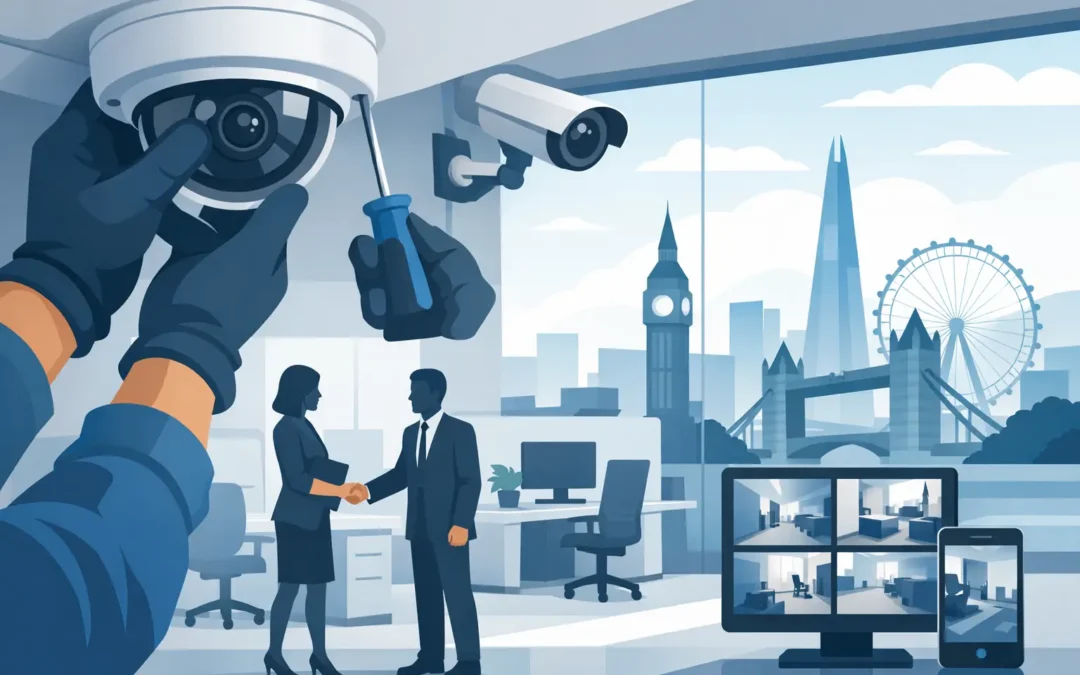
A missing delivery, an unauthorised visitor, or stock that cannot be accounted for can quickly become an expensive distraction for a busy business. CCTV installation for office premises gives you a clear record of what happened, helps staff feel safer and lets managers deal with incidents based on facts rather than guesswork.
For London offices, the right system is not simply a row of cameras on the wall. It needs to cover the areas that matter, work reliably alongside your network, respect staff and visitor privacy, and be straightforward to use when an incident occurs. A poorly planned setup can leave blind spots, create unnecessary privacy concerns and add pressure to an already busy IT environment.
Start with the risks, not the camera count
The number of cameras needed depends on the layout of your office and what you are trying to protect. A small serviced office may need coverage at the entrance, reception and a shared equipment area. A larger business may also need cameras at loading points, server rooms, stock cupboards, car parks and rear exits.
Begin by identifying where incidents are most likely to happen. This could be an entrance used by visitors, an area containing high-value equipment, a corridor leading to restricted rooms or a delivery point that is difficult for reception to monitor. Think about the route someone would take through the premises, not just the rooms you use most often.
It is equally useful to identify places that should not be recorded. Toilets, changing facilities and private welfare areas should never be covered. Breakout spaces and desks need careful consideration too. The purpose of office CCTV should be security, safety and incident investigation – not constant monitoring of staff performance.
A site survey makes the difference here. An engineer can assess sightlines, lighting, ceiling height, cable routes, network capacity and practical access for installation. This avoids the common problem of fitting a camera that looks suitable from ground level but captures faces only in shadow or misses the doorway it was meant to protect.
What a professional CCTV installation for office sites includes
A useful office system should do more than record a wide view of a room. Cameras need enough detail to identify people when needed, particularly at entrances and access points. The best choice depends on distance, lighting and the purpose of each camera.
For example, a wide-angle camera can cover a reception area, while a more focused camera may be needed at a door where identification is important. In darker areas such as rear exits or external access routes, low-light performance and infrared capability may be necessary. External cameras also need weather-resistant housings and secure mounting.
A properly planned installation typically considers four connected parts:
- Camera positions, fields of view and lighting conditions.
- Secure cabling, power and network connections.
- A recorder or approved cloud storage arrangement with suitable retention settings.
- User access, mobile viewing and a simple handover for authorised staff.
Wired systems are often the most dependable option for an office because they offer stable connections and can use Power over Ethernet to supply power and data through one cable. They are particularly suitable where cameras are being fitted as part of new network cabling or an office refurbishment.
Wireless cameras can be useful where cable runs are genuinely impractical, but they rely on strong, stable WiFi. If your wireless network already struggles in meeting rooms or at the far end of the office, adding security cameras without improving coverage can lead to unreliable footage. This is why CCTV should be considered alongside your wider network and WiFi setup, rather than treated as a separate job.
Choose storage that matches your business needs
Recorded footage is only useful if it is available when you need it. Storage requirements vary according to the number of cameras, image quality, recording hours and retention period. Recording continuously provides a complete timeline, but it uses more storage. Motion-triggered recording can reduce storage use, although it must be configured carefully so that relevant activity is not missed.
Many offices choose a local network video recorder because it keeps footage under their control and can continue recording even if the internet connection drops. Remote viewing can still be enabled securely for authorised managers. Cloud storage may suit some businesses, especially where off-site access and simplified management are priorities, but ongoing subscription costs and upload bandwidth need to be considered.
There is no single right retention period. Keep footage for as long as there is a genuine business reason to do so, then overwrite or delete it securely. Retaining recordings indefinitely “just in case” can create unnecessary privacy and data management risk. A clear retention policy also makes it easier for staff to understand how the system is used.
Keep office CCTV lawful and fair
CCTV in a workplace involves personal data, so UK data protection rules apply. Your business should have a clear reason for using cameras, such as protecting staff, preventing unauthorised access or investigating security incidents. Cameras should be positioned proportionately and not collect more footage than is necessary for that purpose.
Visible signage is essential. Visitors and staff should know that CCTV is in operation and who is responsible for the system. It is also sensible to document why cameras have been installed, what areas they cover, who can view footage and how long recordings are kept.
Access to footage should be limited to authorised people. Giving every manager unrestricted access is rarely necessary and can create problems if recordings are viewed or shared without a valid reason. Use strong passwords, individual user accounts where available and two-factor authentication for remote access. Default device passwords should always be changed during setup.
If your office has staff representatives, a works council or a formal HR process, involve the right people before installation. Being transparent helps prevent CCTV from feeling intrusive and confirms that it is being used for its intended security purpose.
Install with minimal disruption to your working day
Office installations need to work around meetings, client visits and staff who still need access to their desks. Good planning reduces disruption. Before work begins, confirm the camera locations, cable routes, access requirements and any areas that must remain operational throughout the day.
Ceiling voids, trunking and existing containment can often be used to keep cable runs tidy. Where visible cabling is unavoidable, it should be routed neatly and securely rather than left exposed across walls or work areas. The aim is a professional finish that does not compromise the look of your office or introduce a trip hazard.
Once the equipment is fitted, every camera should be tested from the recorder and from approved remote devices. Check daytime and low-light images, motion alerts, timestamps, live viewing and playback. A handover should show the responsible person how to find an event, export footage where appropriate, check recording status and raise a support request if something stops working.
Avoid the common office CCTV mistakes
The cheapest quote is not always the lowest-cost choice. Low-resolution cameras may appear acceptable until you need to identify a person or read a relevant detail. Poorly placed cameras may record plenty of empty floor space while missing the actual point of entry. Insecure remote access can also turn a security system into a network risk.
Another frequent mistake is relying on a single camera to cover too much. A broad image can help provide context, but it may not provide identification-quality footage at a distance. Combining overview coverage with targeted cameras at key entrances is often more effective than simply adding more wide-angle devices.
Finally, do not forget ongoing checks. Cameras can be knocked out of position, storage can fill up, and passwords or staff responsibilities can change. A regular review confirms that recording is active, the date and time are correct, images remain clear and only the right people have access.
For businesses that need cameras installed alongside network cabling, WiFi improvements or wider IT support, A2z Computer Solutions can help plan the work around your office and minimise downtime. The right setup should be easy to manage after installation, not another technical problem waiting for your team.
A well-positioned camera, clear policy and tested recording system can save hours when an incident happens. Arrange a site survey before buying equipment, and make sure your office CCTV is built around the way your business actually operates.